Stop Manually Entering Paystack Transactions
If your accounts team spends hours every day copying Paystack transaction data into your accounting software, this guide is for you. We'll walk through the architecture, the code, and the no-code alternatives — so you can pick the approach that fits your team.
TL;DR:Paystackwebhooks can automatically record every transaction inQuickBooks,Zoho Books, or your custom ledger. No-code setup takes 1-2 hours viaZoho FloworMake.com. Full custom integration with edge case handling takes 1-2 weeks. Zero integration fees from Paystack.
Paystack charges zero integration fees and zero maintenance fees. The API documentation is widely considered the cleanest in the African fintech space. Let's use it.
Architecture Overview
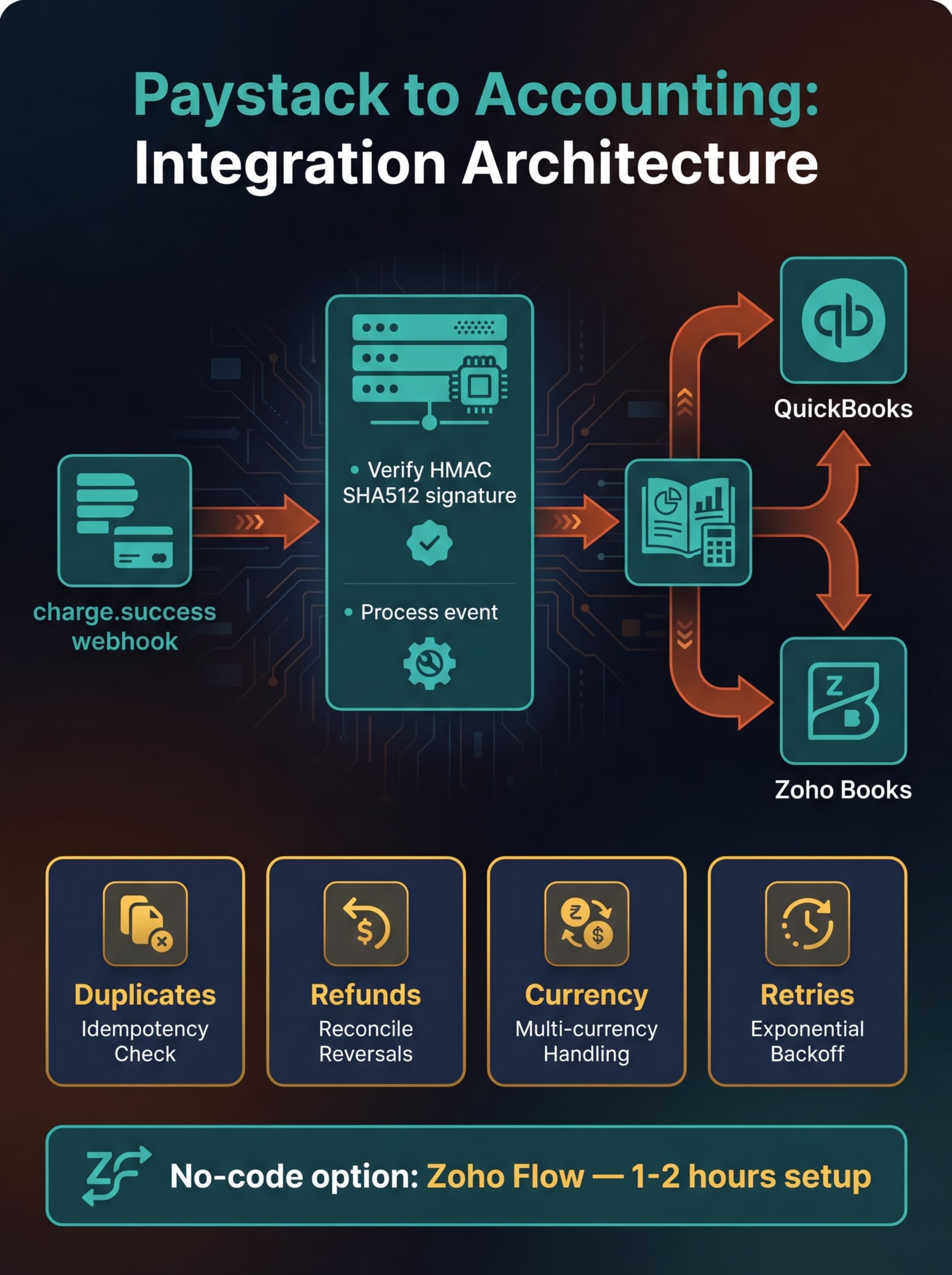
The integration follows a simple pattern:
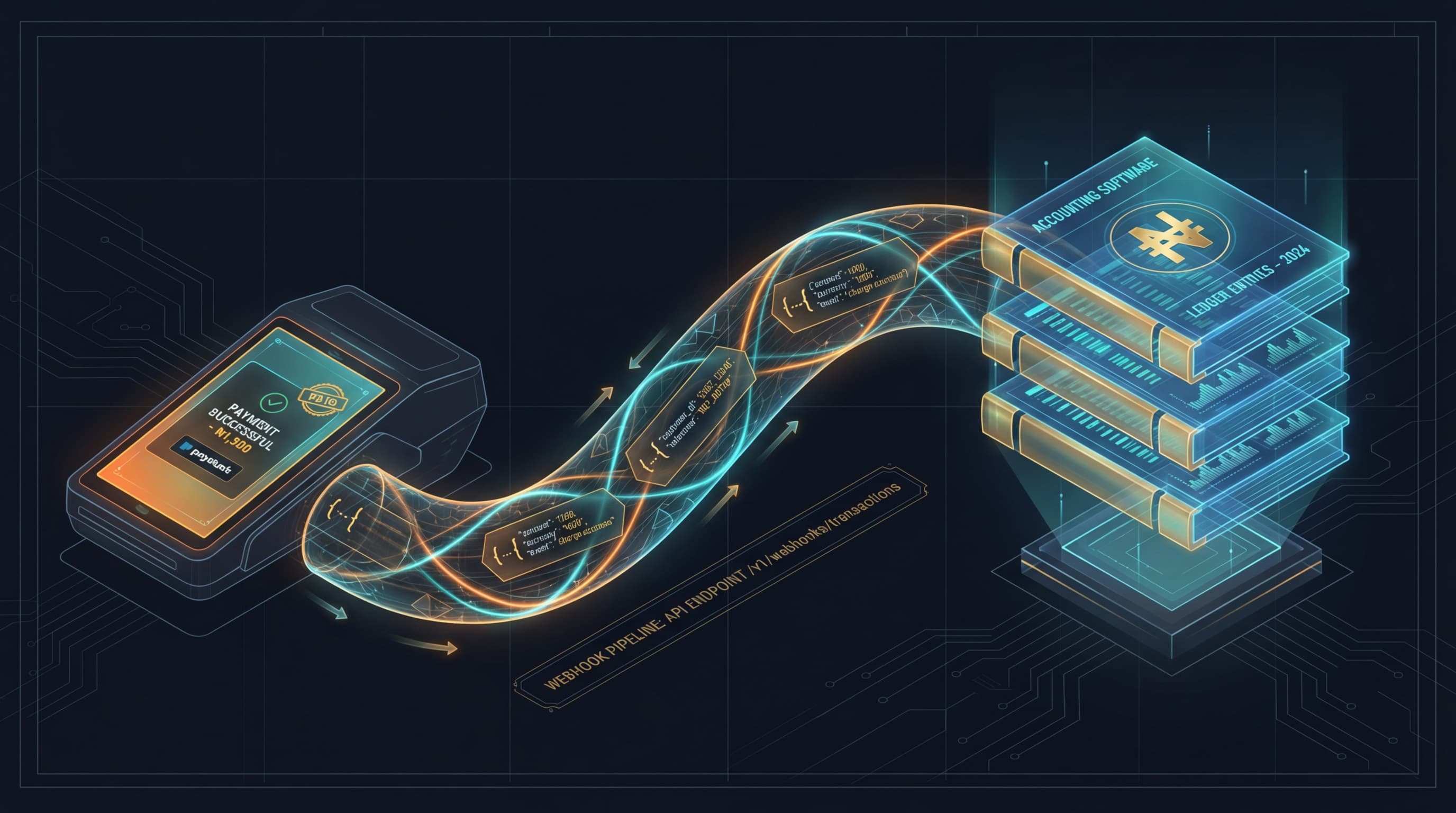
Paystacksends a webhook — When a payment succeeds, fails, or is refunded,Paystacksends a POST request to your server with the transaction details.- Your server verifies and processes — You validate the webhook signature, extract the transaction data, and transform it into your accounting system's format.
- Your accounting system records it — The transaction appears automatically in
QuickBooks,Zoho Books, or your custom ledger.
Step 1: Set Up Your Webhook Endpoint
In your Paystack dashboard, go to Settings → API Keys & Webhooks. Add your webhook URL (e.g., https://your-domain.com/webhooks/paystack).
Your endpoint must:
- Accept POST requests
- Respond with HTTP 200 within 30 seconds
- Be accessible from
Paystack's IP addresses:52.31.139.75,52.49.173.169,52.214.14.220
Step 2: Verify the Webhook Signature
Every Paystack webhook includes an X-Paystack-Signature header — an HMAC SHA512 hash of the request body, signed with your secret key. Always verify this before processing.
Here's how in Node.js:
const crypto = require('crypto');

function verifyPaystackWebhook(requestBody, signature, secretKey) {
  const hash = crypto
    .createHmac('sha512', secretKey)
    .update(JSON.stringify(requestBody))
    .digest('hex');
  return hash === signature;
}

// In your Express route handler:
app.post('/webhooks/paystack', (req, res) => {
  const signature = req.headers['x-paystack-signature'];

  if (!verifyPaystackWebhook(req.body, signature, process.env.PAYSTACK_SECRET_KEY)) {
    return res.status(400).send('Invalid signature');
  }

  // Process the event
  const event = req.body;

  if (event.event === 'charge.success') {
    const { amount, currency, reference, customer } = event.data;
    // amount is in kobo (divide by 100 for Naira)
    const amountInNaira = amount / 100;

    // Send to accounting system (see next steps)
    processSuccessfulCharge(event.data);
  }

  // Always respond 200 quickly
  res.status(200).send('OK');
});
Critical: Respond with 200 immediately, then process the event asynchronously. If your webhook takes too long, Paystack will retry — and you'll get duplicate entries.
Step 3: Connect to Your Accounting System
Option A: Paystack → QuickBooks Online
QuickBooks Online has a REST API that lets you create sales receipts, invoices, and payment records programmatically.
- Authentication: Register an app on the Intuit Developer portal. Use OAuth 2.0 to get access tokens.
QuickBooksprovides SDKs for Node.js, Python, PHP, and Java. - For each
charge.successevent: Create a Sales Receipt inQuickBookswith the customer name, email, payment amount (converted from kobo to Naira), payment method, andPaystackreference as the memo. - For refunds (
refund.processed): Create a Refund Receipt linked to the original Sales Receipt.
QuickBooks provides sandbox environments for testing. Use them — don't test against your live books.
Option B: Paystack → Zoho Books
Zoho Books' API lets you create invoices, record payments, and manage contacts.
- Authentication: Generate an API token from your
Zoho Bookssettings. - For each
charge.success: Create a Payment record inZoho Books, linked to the customer's contact record. If the payment is for an existing invoice, mark that invoice as paid. - Bi-directional sync: Zoho's webhook support means you can also trigger
Paystackpayment links when invoices are created in Zoho — send the customer a "Pay Now" link automatically.
Option C: No-Code with Zoho Flow or Make.com
If you don't have a developer on staff, Zoho Flow connects Paystack to QuickBooks without code. Set up a flow:
- Trigger:
Paystack→ Successful Charge - Action:
QuickBooks→ Create Sales Receipt - Map the fields: amount, customer email, reference number
Make.com offers similar functionality with a visual drag-and-drop builder. The free tier handles up to 1,000 operations/month — enough for most small businesses.
Step 4: Handle Edge Cases
Production integrations must handle these scenarios:
Duplicate Webhooks
Paystack may send the same event multiple times (network retries). Use the transaction reference as an idempotency key — check if you've already processed this reference before creating a new accounting entry.
Failed Charges
Listen for charge.failed events to track failed payment attempts. Useful for following up with customers and identifying issues with specific payment channels.
Refunds
Listen for refund.processed events. Create a corresponding credit note or refund receipt in your accounting system. Never just delete the original transaction — your books need to show both the charge and the refund.
Currency Conversion
If you accept USD or GBP payments through Paystack, your accounting system needs to record the transaction in the original currency and the Naira equivalent. Use the exchange rate from the Paystack event data, not a third-party rate — this is the rate at which the money was actually settled.
Network Failures
Your integration server might be down when Paystack sends a webhook. Paystack retries failed deliveries, but you should also run a daily reconciliation job that pulls transactions via Paystack's Transaction List API and cross-references against your accounting records.
Step 5: Reconciliation Safety Net
Even with webhooks working perfectly, run a daily batch job:
// Pseudo-code for daily reconciliation
async function dailyReconciliation() {
  // 1. Fetch yesterday's transactions from Paystack
  const paystackTxns = await paystack.transactions.list({
    from: yesterday,
    to: today,
    status: 'success'
  });

  // 2. Fetch yesterday's entries from accounting system
  const accountingEntries = await quickbooks.salesReceipts.query({
    dateFrom: yesterday,
    dateTo: today
  });

  // 3. Find transactions in Paystack but not in accounting
  const missing = paystackTxns.filter(txn =>
    !accountingEntries.find(entry => entry.memo === txn.reference)
  );

  // 4. Create missing entries
  for (const txn of missing) {
    await createAccountingEntry(txn);
    log(`Reconciled missing transaction: ${txn.reference}`);
  }
}
Implementation Timeline
- No-code (
Zoho Flow/Make.com): 1-2 hours to set up, handles basic charge → receipt flow - Basic webhook integration: 1-2 days of developer time for
charge.successprocessing - Full integration with edge cases: 1-2 weeks including refunds, reconciliation, error handling, and testing
Start with no-code if you need it working today. Graduate to a custom webhook integration when transaction volume or complexity demands it. Either way, stop entering transactions manually — your time is worth more than that.